AI Warehouse Management Platform
Designing and validating a scalable dashboard system through AI-accelerated prototyping using Claude and V0
The Problem
Problem Statement
The Solution
Translating Complexity into Decision Architecture
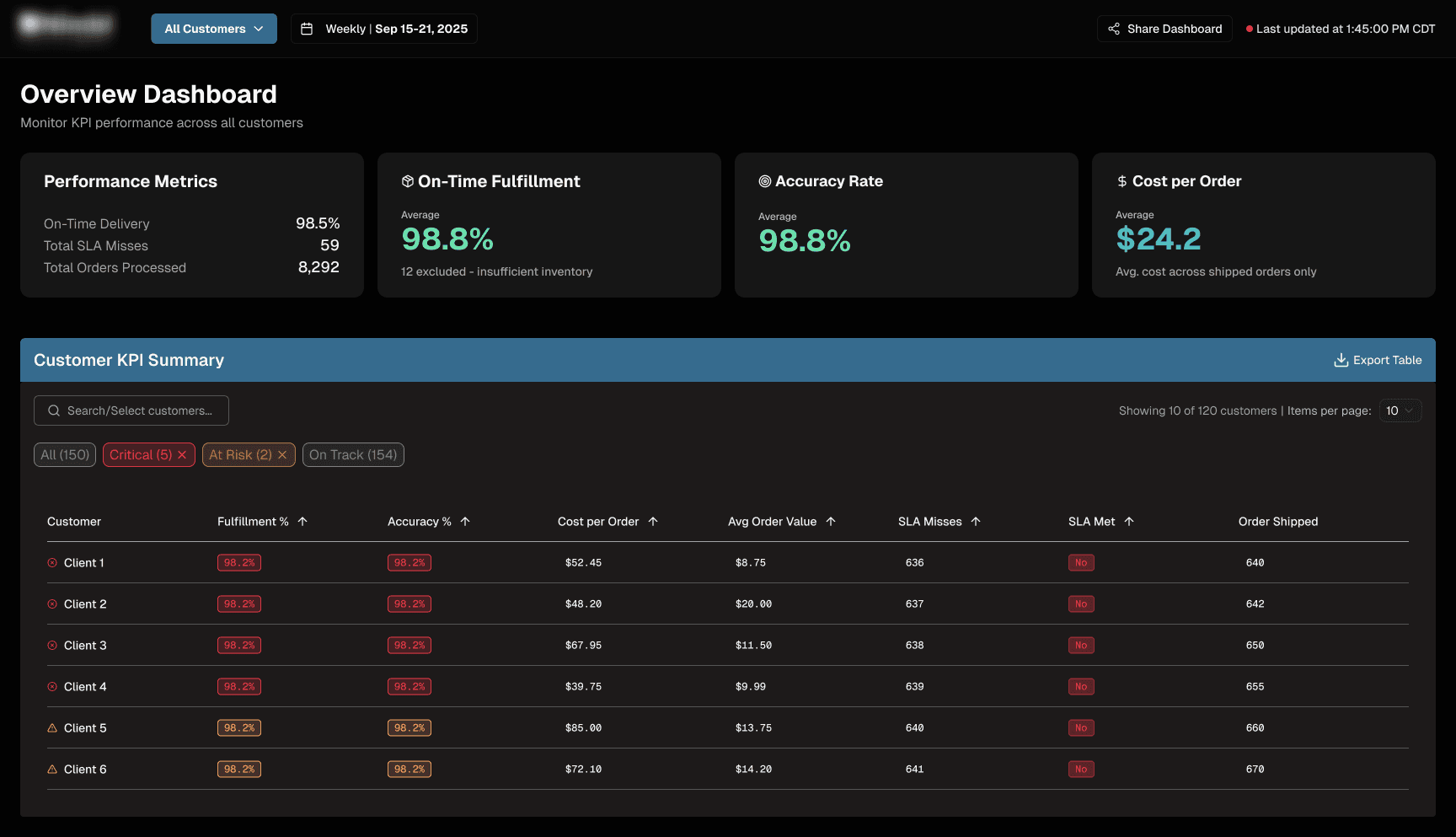
Phase 1 - High Level Customer KPI Summary Dashboard
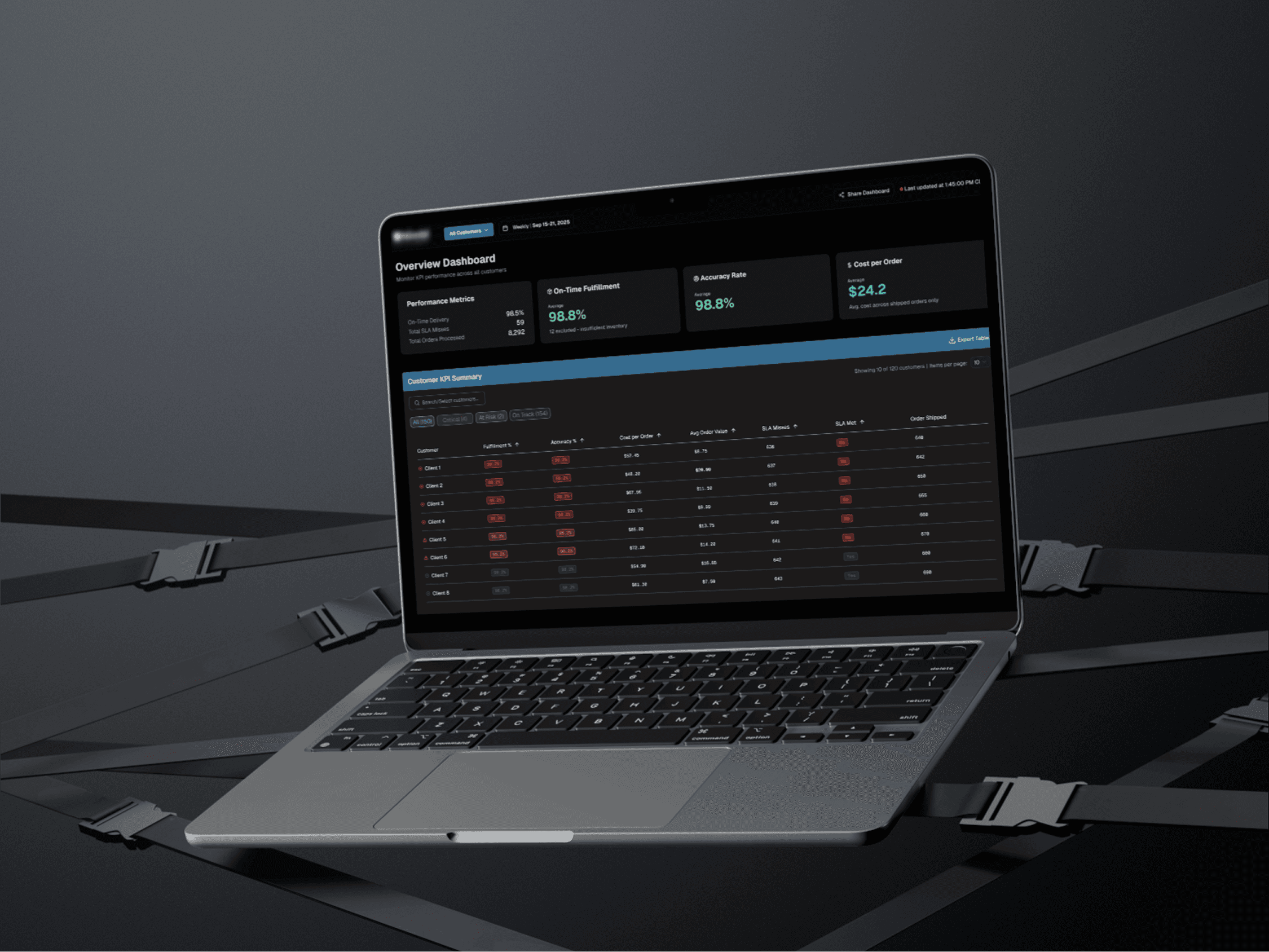
I designed a modular KPI dashboard that translated SLA thresholds into intuitive performance states. The system included:
An executive-level operational snapshot across all customers
A sortable, filterable customer KPI table
SLA-based threshold indicators (On Track, At Risk, Critical)
Weekly reporting for trend visibility
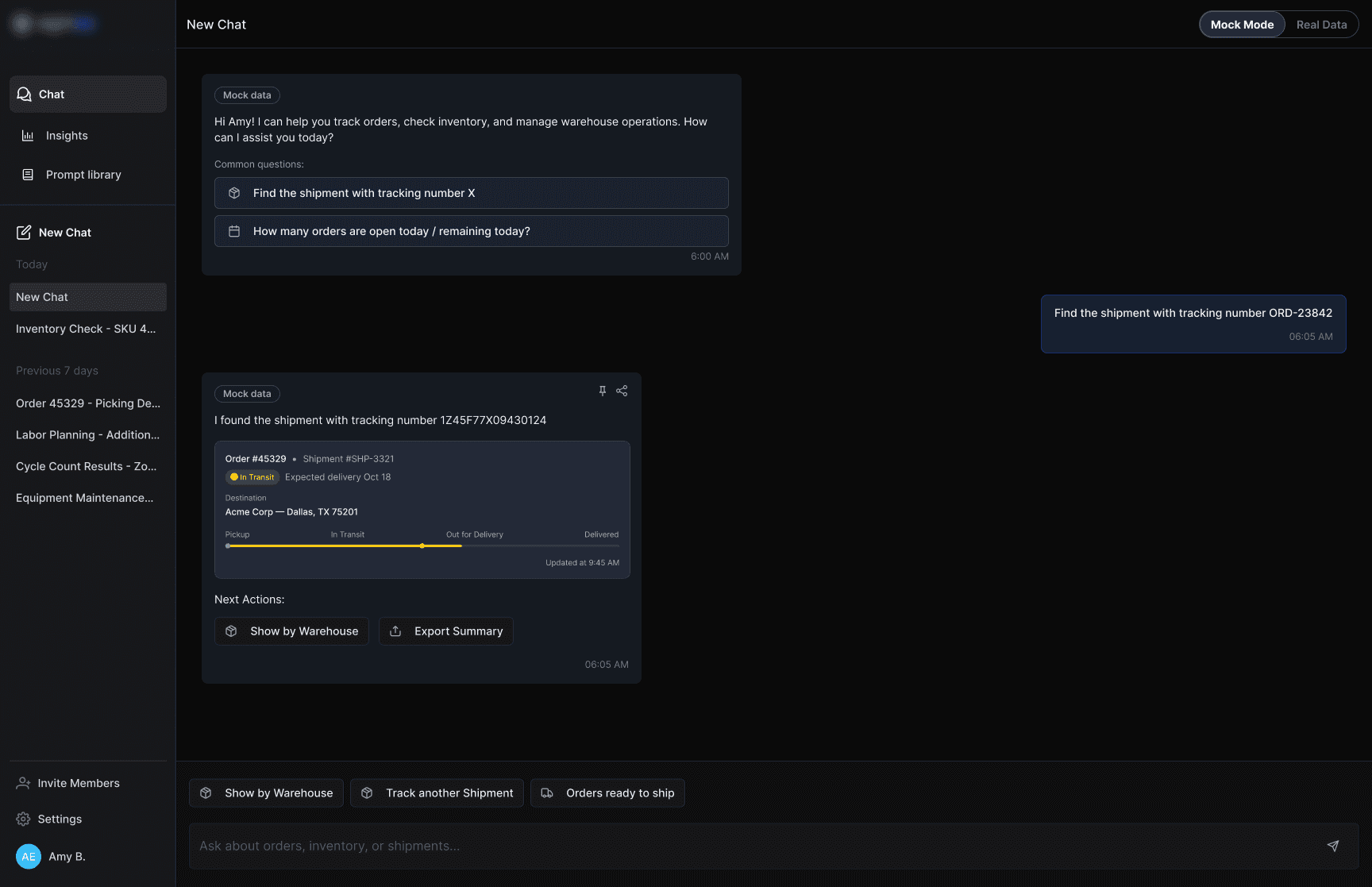
Phase 2 — AI Prompt Library (Investigation Layer)
To support operational inquiry, I designed an AI-powered Prompt Library interface that allowed users to:
Locate shipments via tracking number
Run order status inquiries
This layer enabled users to move from passive monitoring to active investigation — using AI as an operational assistant.
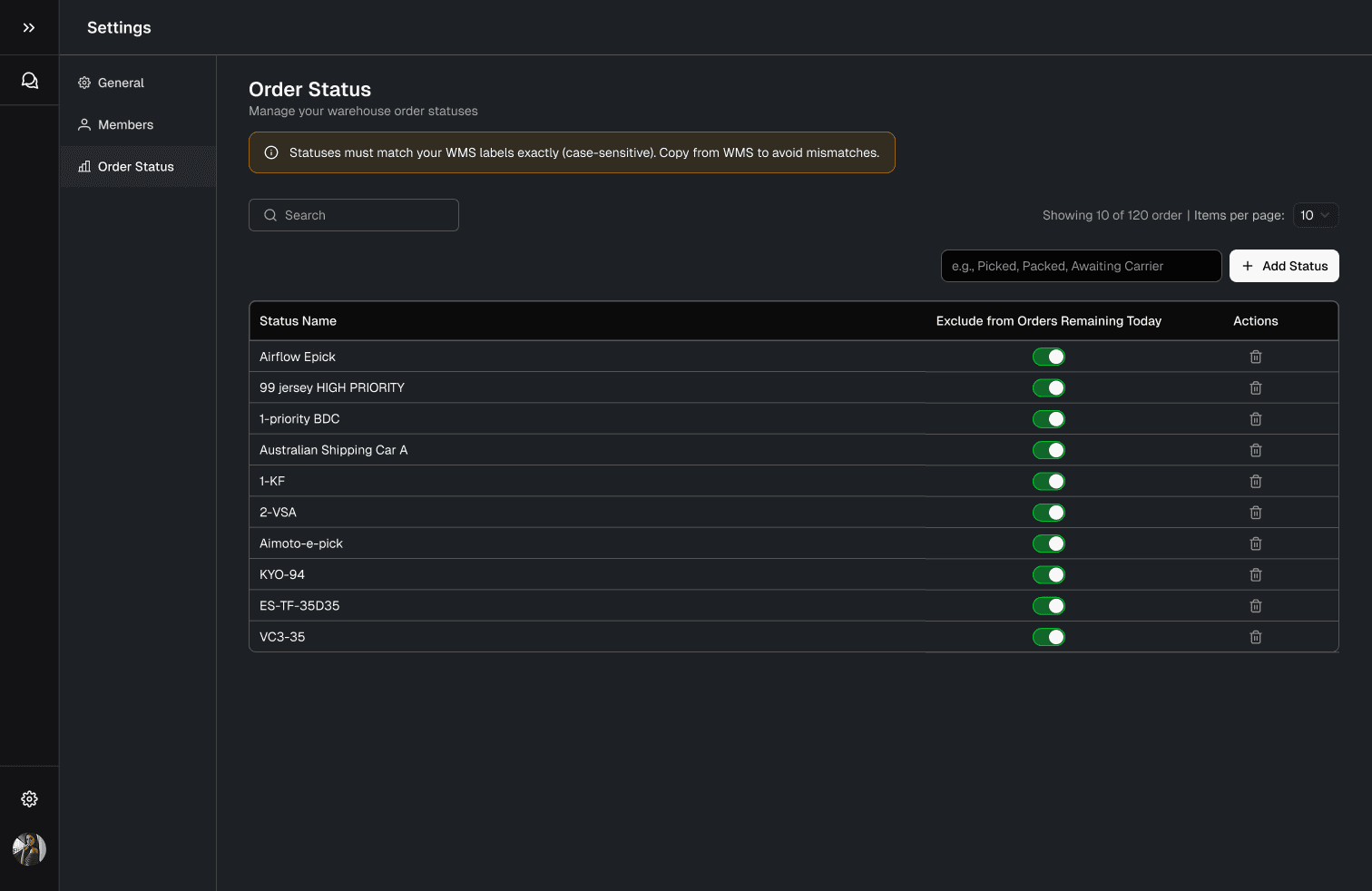
Phase 3 — “Order Status” Settings Preferences
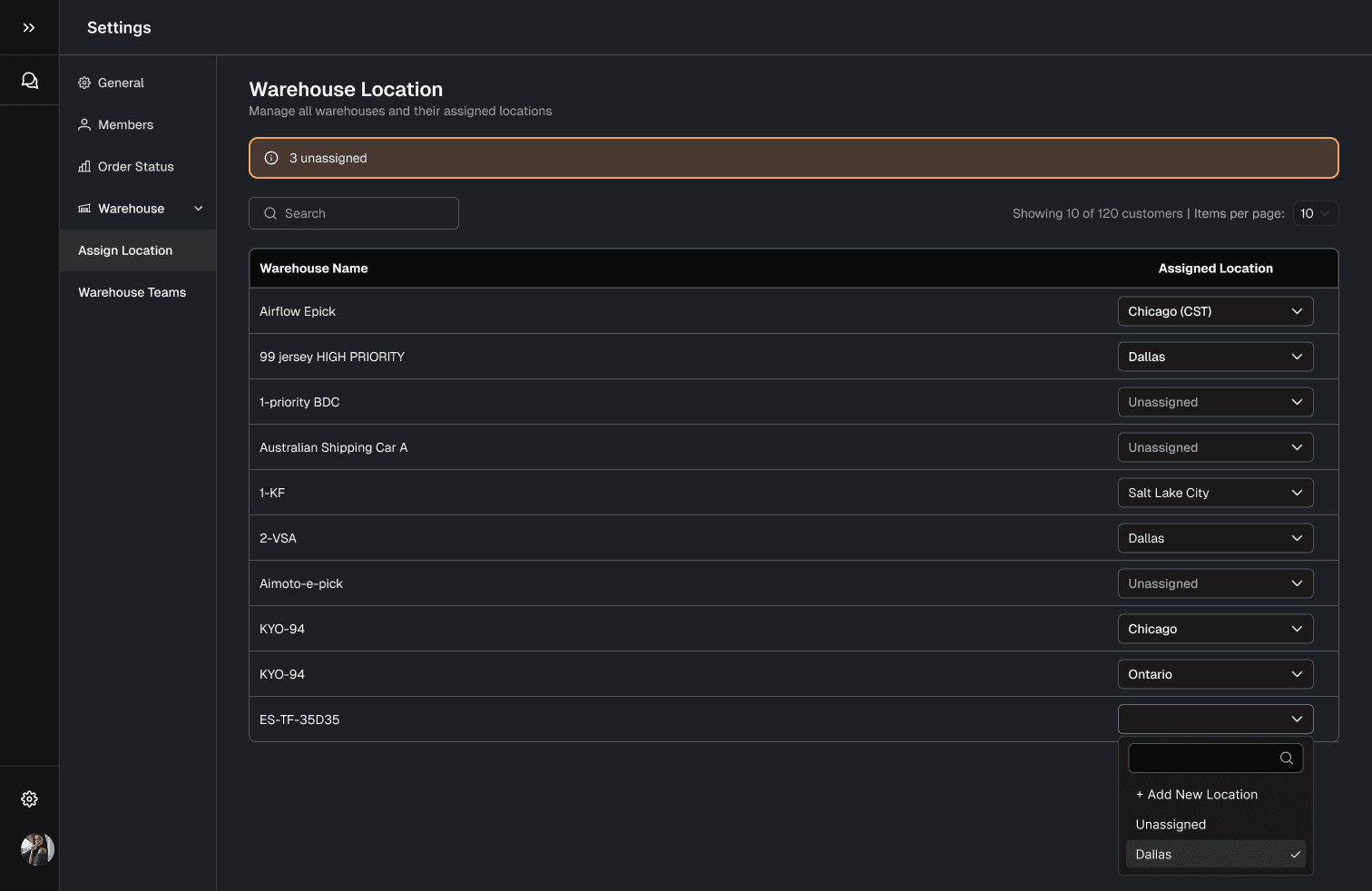
Phase 3 — “Warehouse” Settings Preferences
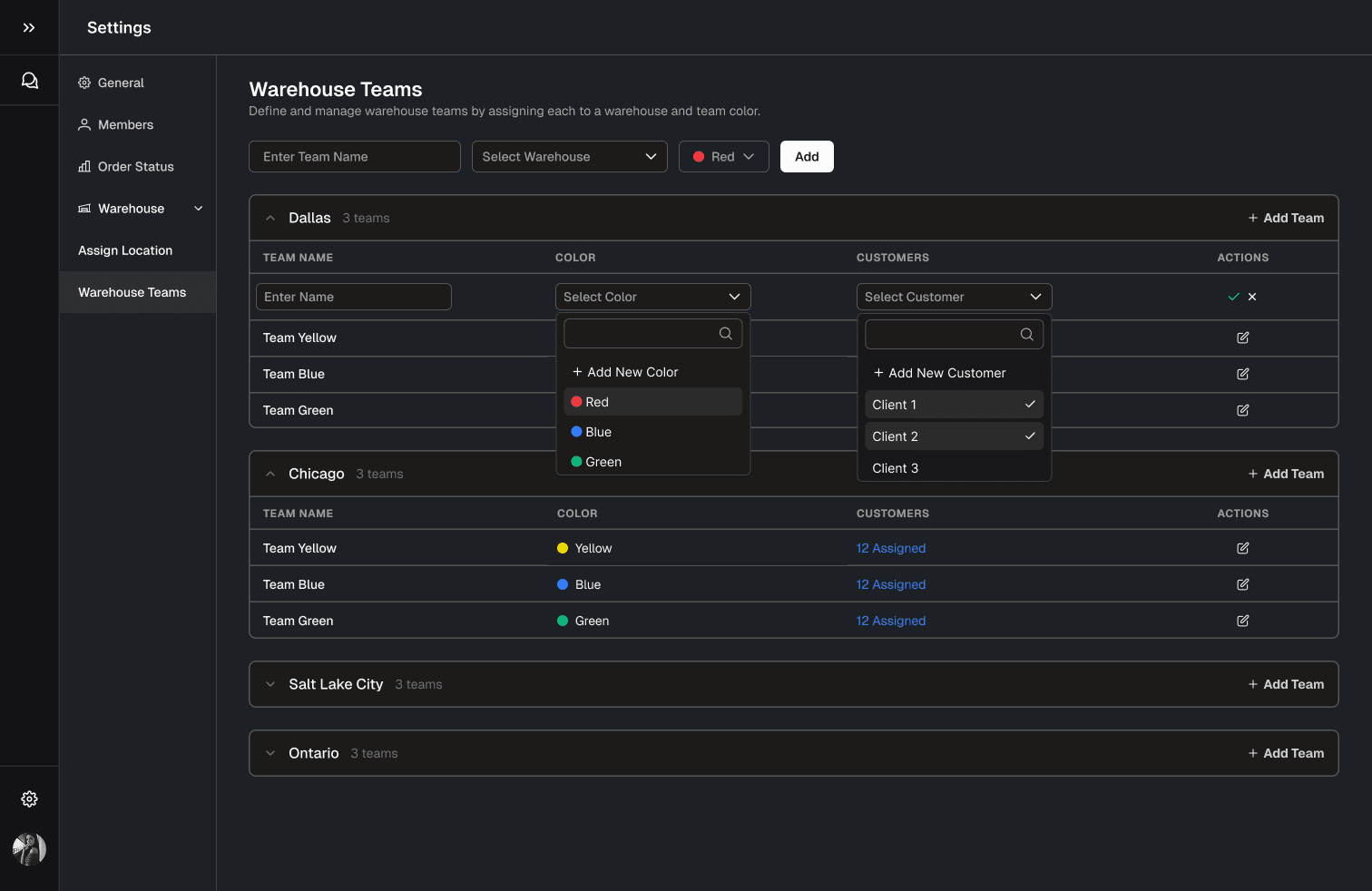
Phase 3 - “Warehouse Teams” Settings Preferences
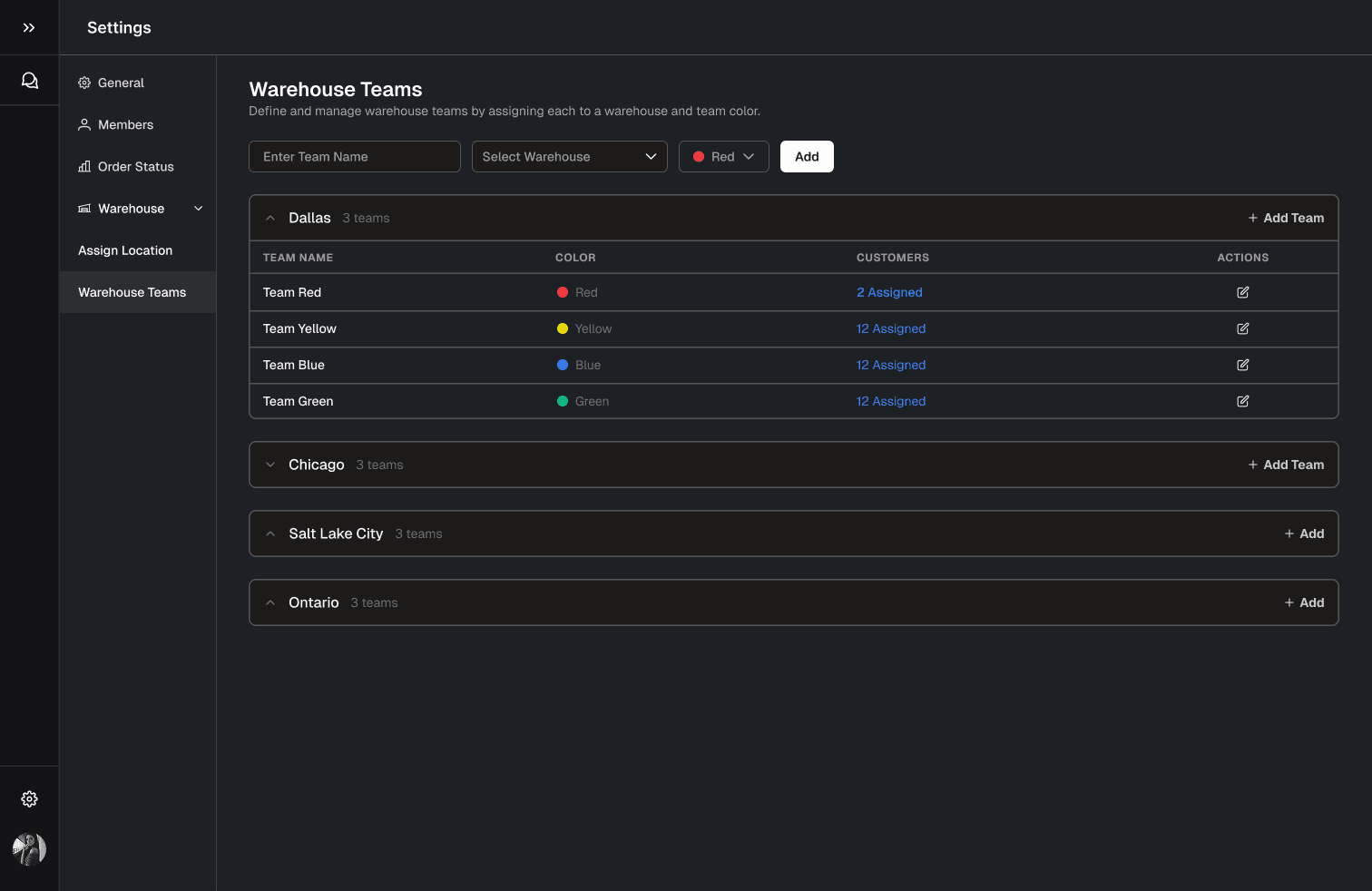
Phase 3 — “Customers” Settings Preferences
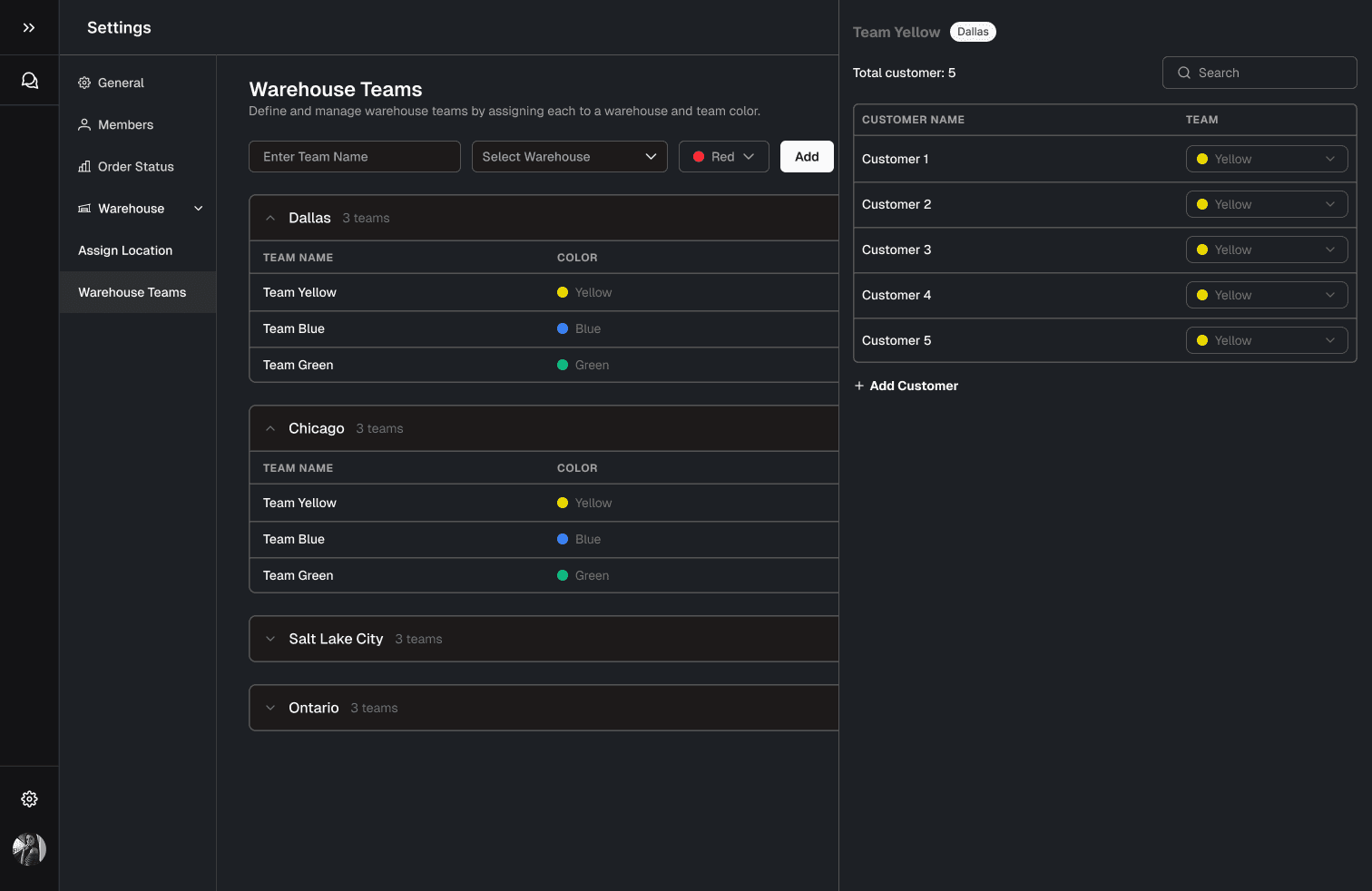
Phase 3 — “Customers” Settings Preferences
Phase 3 — Administrative Controls (Configuration Layer)
Finally, I designed the system configuration surfaces to ensure scalability across warehouses and teams. This included:
Order Status settings
Warehouse management (assigning and managing locations)
Warehouse team management
Reporting configuration
This layer ensured the platform was not only viewable and usable — but configurable and adaptable as operational needs evolve.
Discover
Clarifying Decision Context Before Designing
Before moving into visuals, I clarified:
Who is the primary dashboard user?
What decisions must be made from each page?
What might the user experience looks like?
What are the interaction behaviour of each button/click?
Understanding that there are three phases to tackle:
Phase 1 Deliverables: High Level view of all customers KPIs
• Add summary view of KPIs across all customers
• Implement sortable customer KPI table
• Add SLA-based filters and threshold indicators
• Enable weekly reporting view
Phase 2 Deliverables: Prompt Library Design
Tracking Number Inquiry (locate shipment via tracking ID)
Order Status Inquiries
Phase 3 Deliverables: Administrative Controls
• Order Status settings (customize and review orders)
• Warehouse management page (assign, add, manage locations)
• Warehouse team management
• Weekly reporting configuration
Leveraging the Existing Design System
All screens were built using the company’s original design system to maintain visual consistency and accelerate iteration.
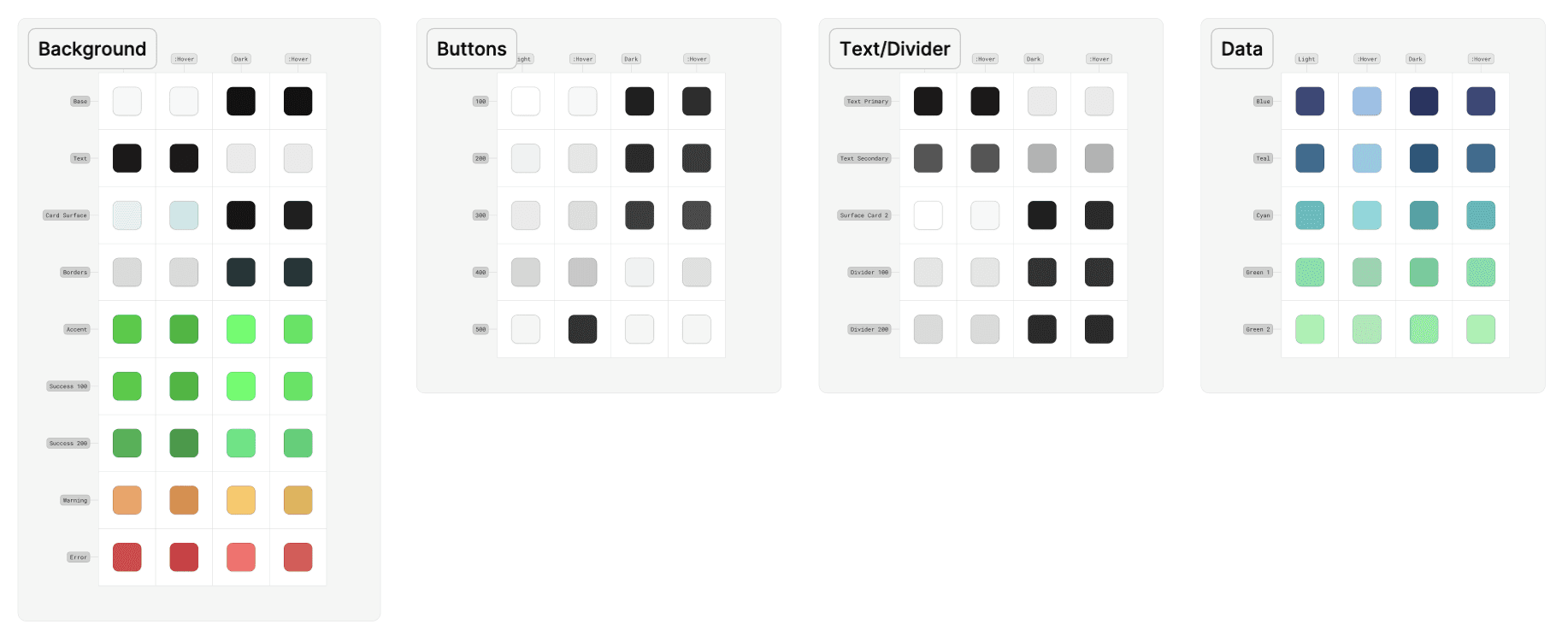
Leveraging established design system to design new screens
Define
Translating SLA Documentation into Dashboard Logic
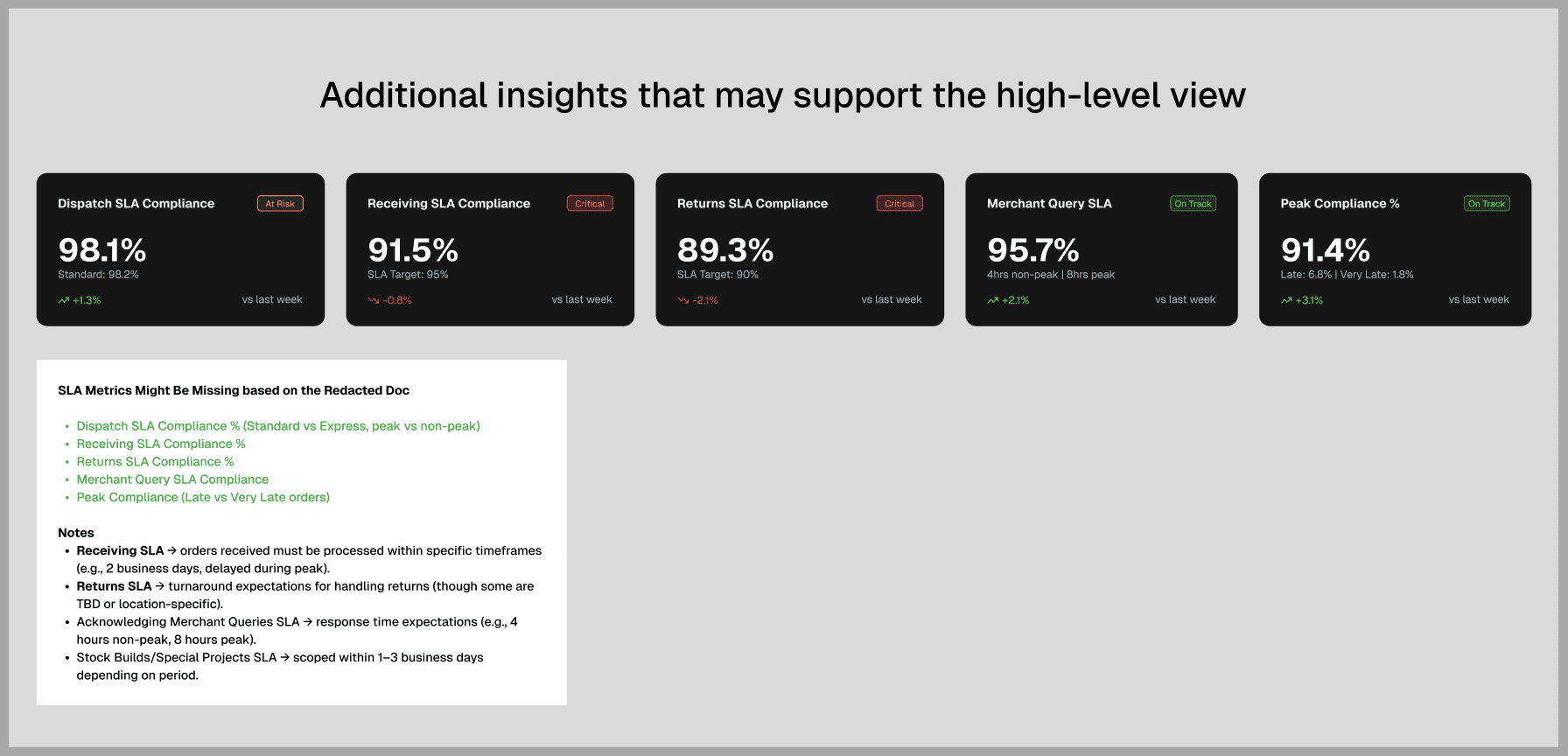
Screenshot 3: Additional Metrics Cards that I've designed
In addition to required metrics, I proposed additional SLA insights that could strengthen decision visibility. These included aggregated SLA miss indicators and contextual performance breakdowns.
Develop
AI-Accelerated Prototyping as a Design System Tool
To move quickly within tight sprint timelines, I incorporated AI tools into my workflow.
I tested both V0 and Claude for layout exploration and structural prototyping. I leaned toward V0 for early visual iteration because the output resembled realistic dashboard layouts, making stakeholder discussions more concrete.
AI Tool #1 - V0
V0
Strong visual UI output closer to production-ready layouts
Easier to visualize dashboard structure quickly
AI Tool #2 - Claude
Claude
Stronger at logical structuring and information hierarchy
Better for defining data relationships
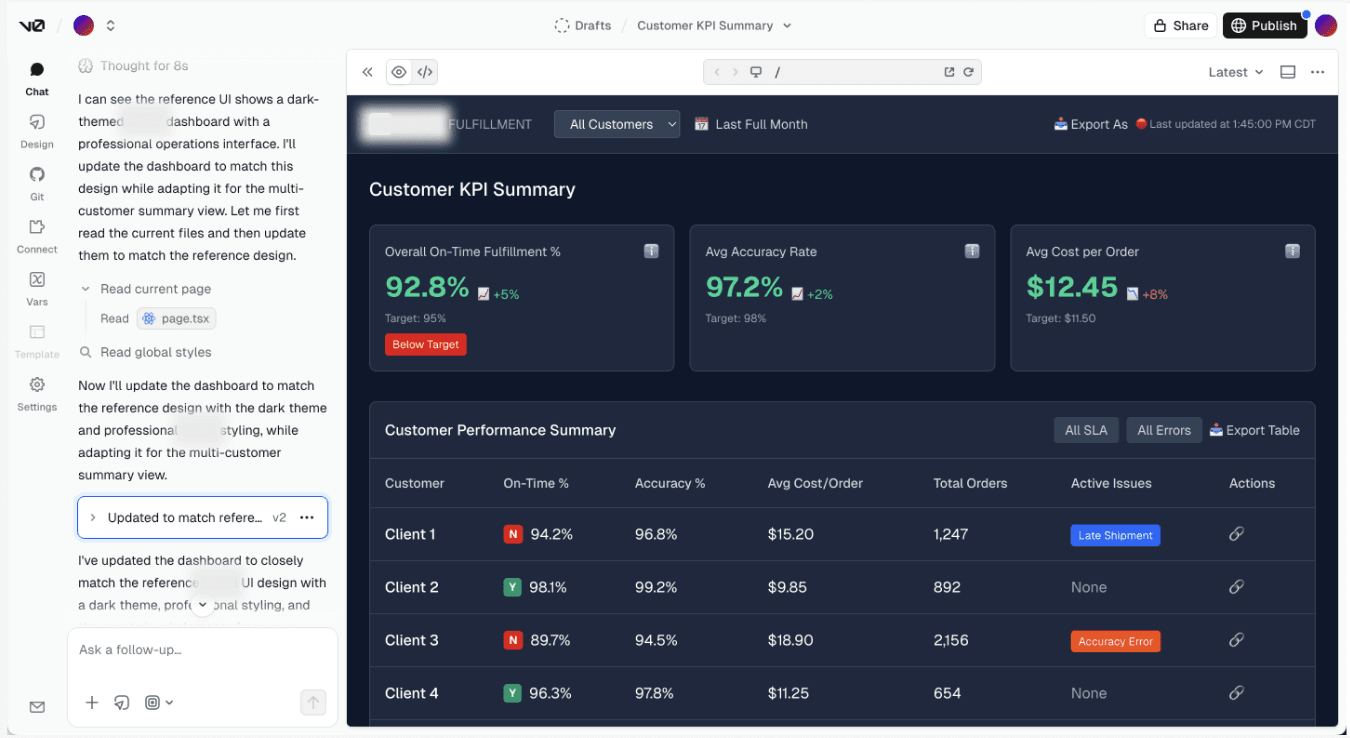
Screenshot 5: V0 Output
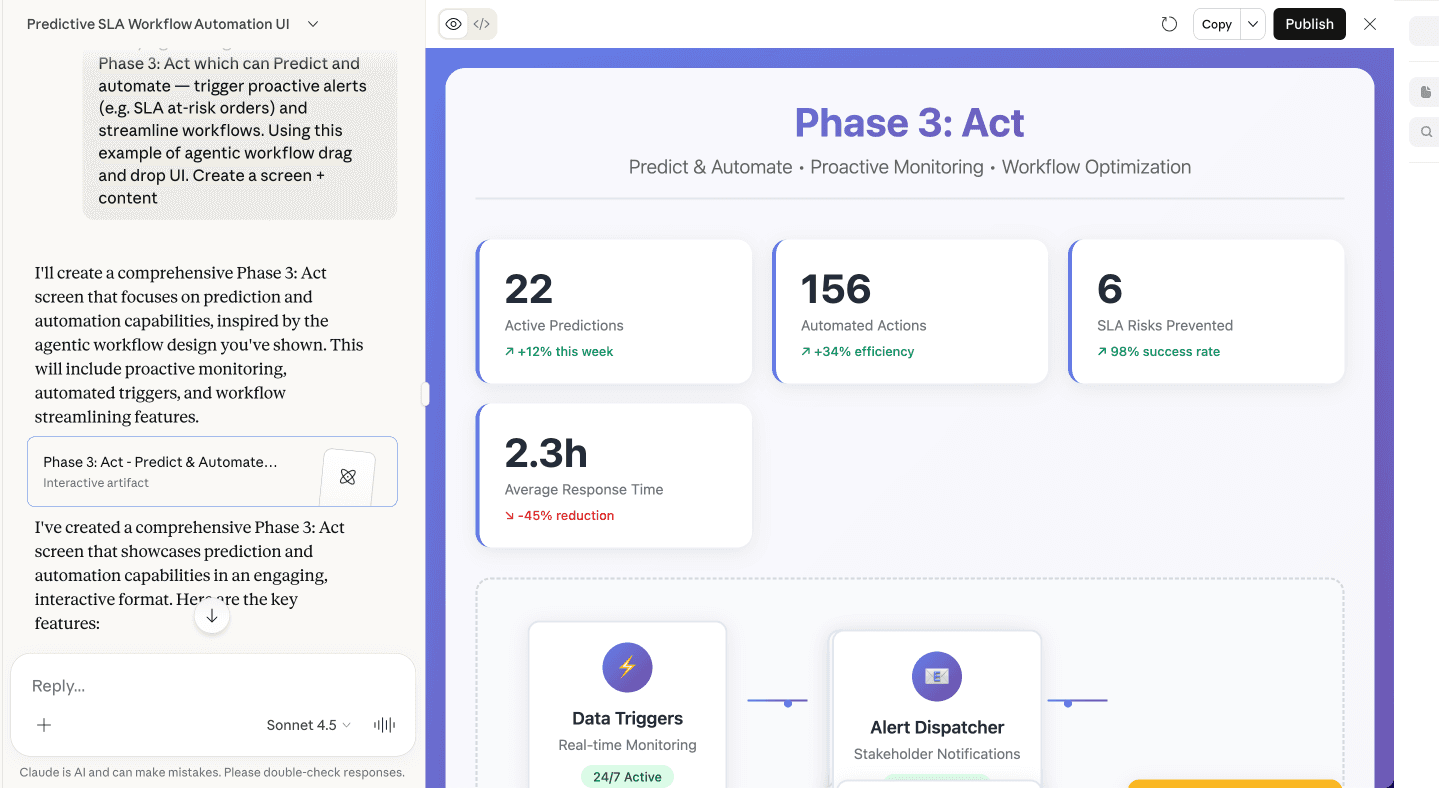
Screenshot 6: Claude Output
Prompt Strategy
Output quality depended entirely on prompt structure. My workflow:
Define structural logic in ChatGPT
Convert into platform-specific prompts
Test across V0 and Claude
Use the html.to.design Figma plugin to convert layouts into editable files
Refine manually in Figma with proper auto-layout and responsiveness
This ensured AI accelerated exploration without replacing design judgment. Again, these prototypes were intentionally fast and iterative, optimized for alignment rather than polish.
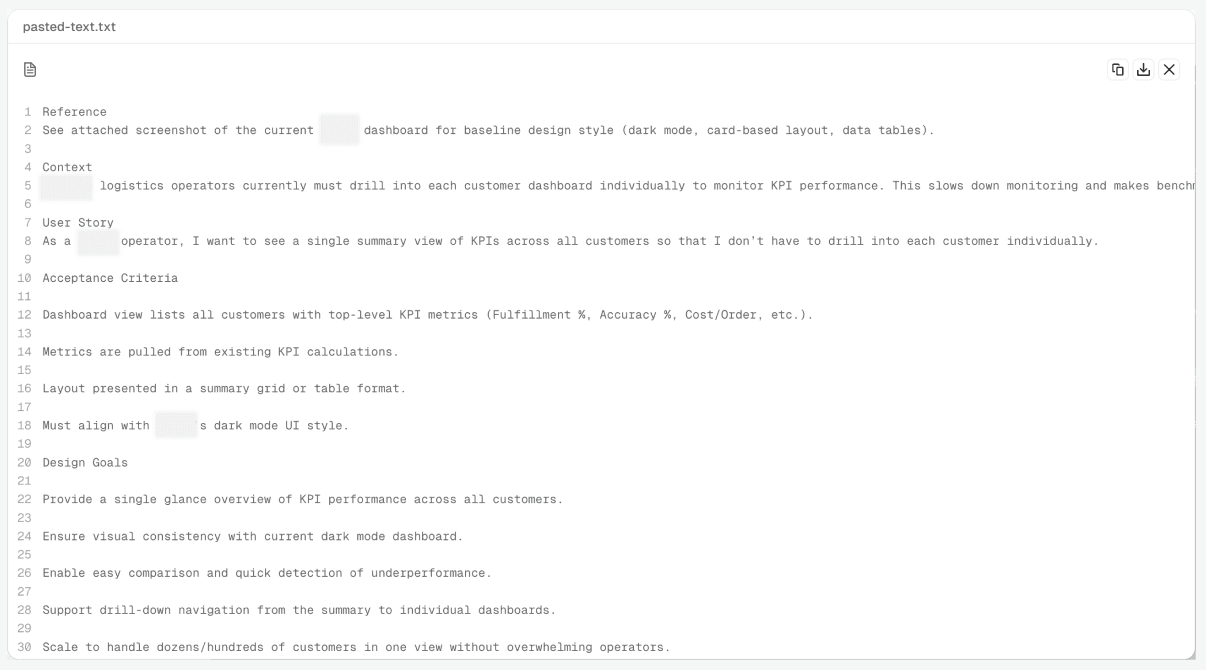
Screenshot 7: Prompting with V0
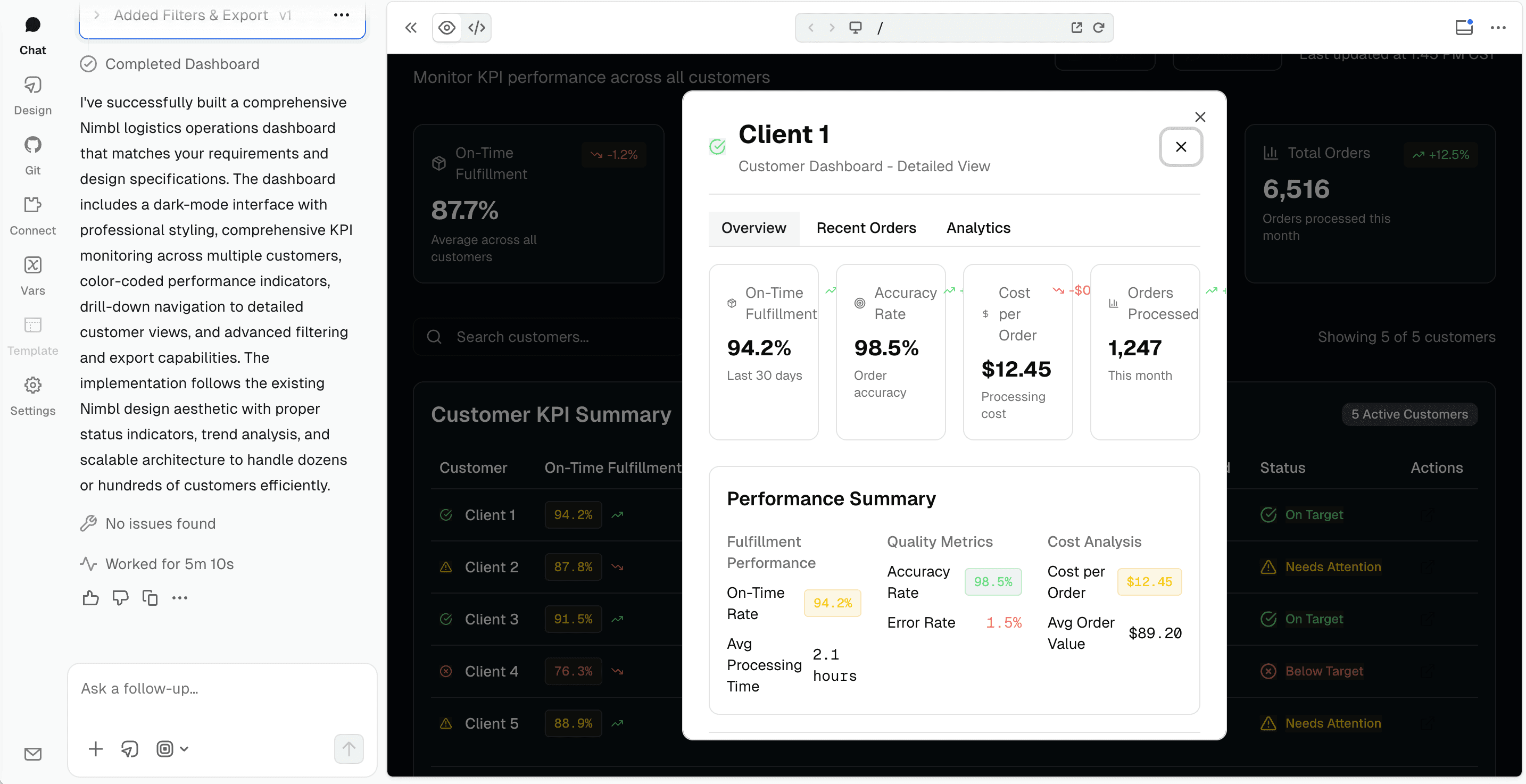
Screenshot 8: Prompting with V0
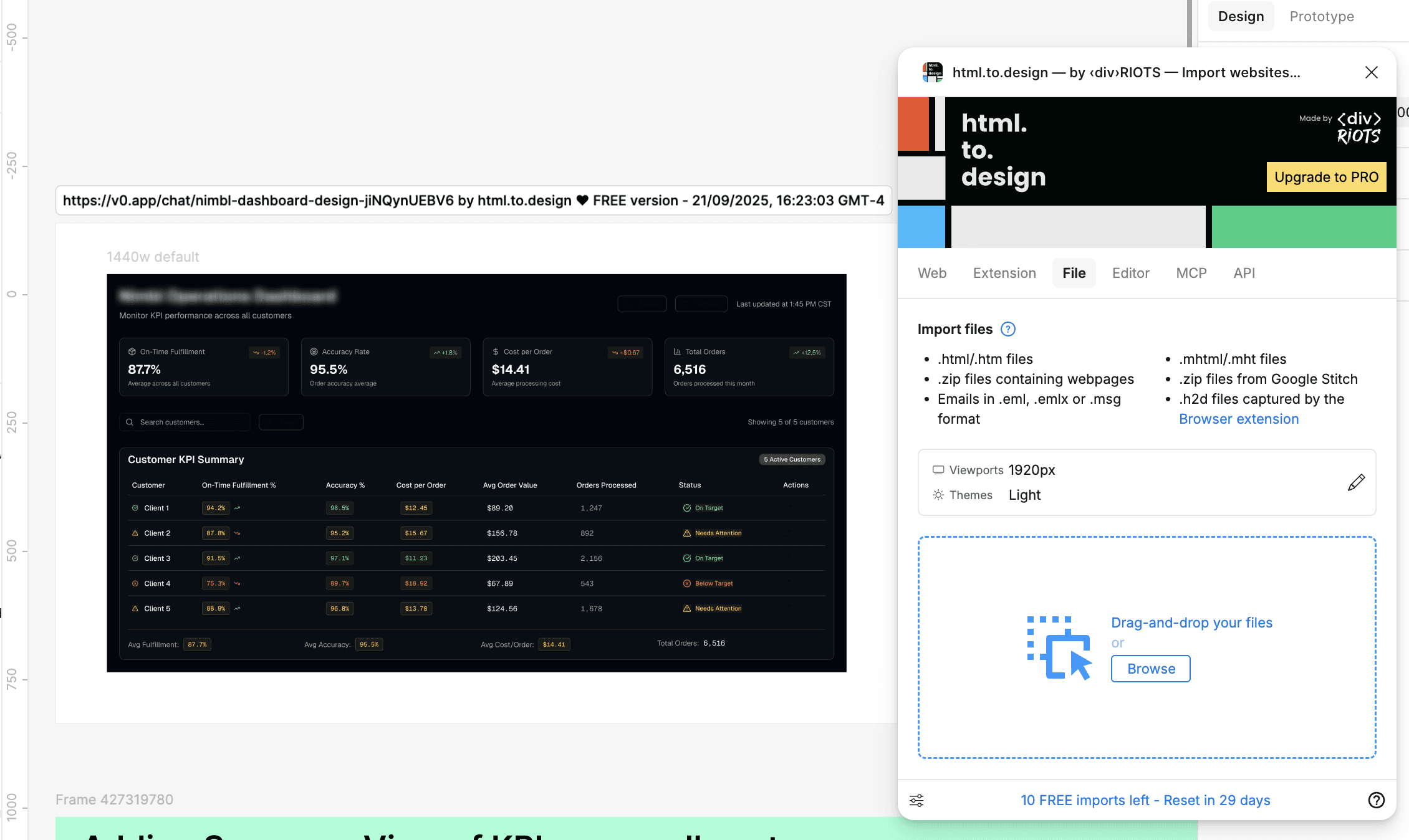
Screenshot 9: Using html.to.design - a Figma's plugin to paste the design created by V0 onto my Figma file
Develop
Integrating AI Into the Product Experience
Beyond dashboard metrics, I also needed to consider how AI would appear within the product itself.
A key question was:
How should the system proactively signal which customers require monitoring?
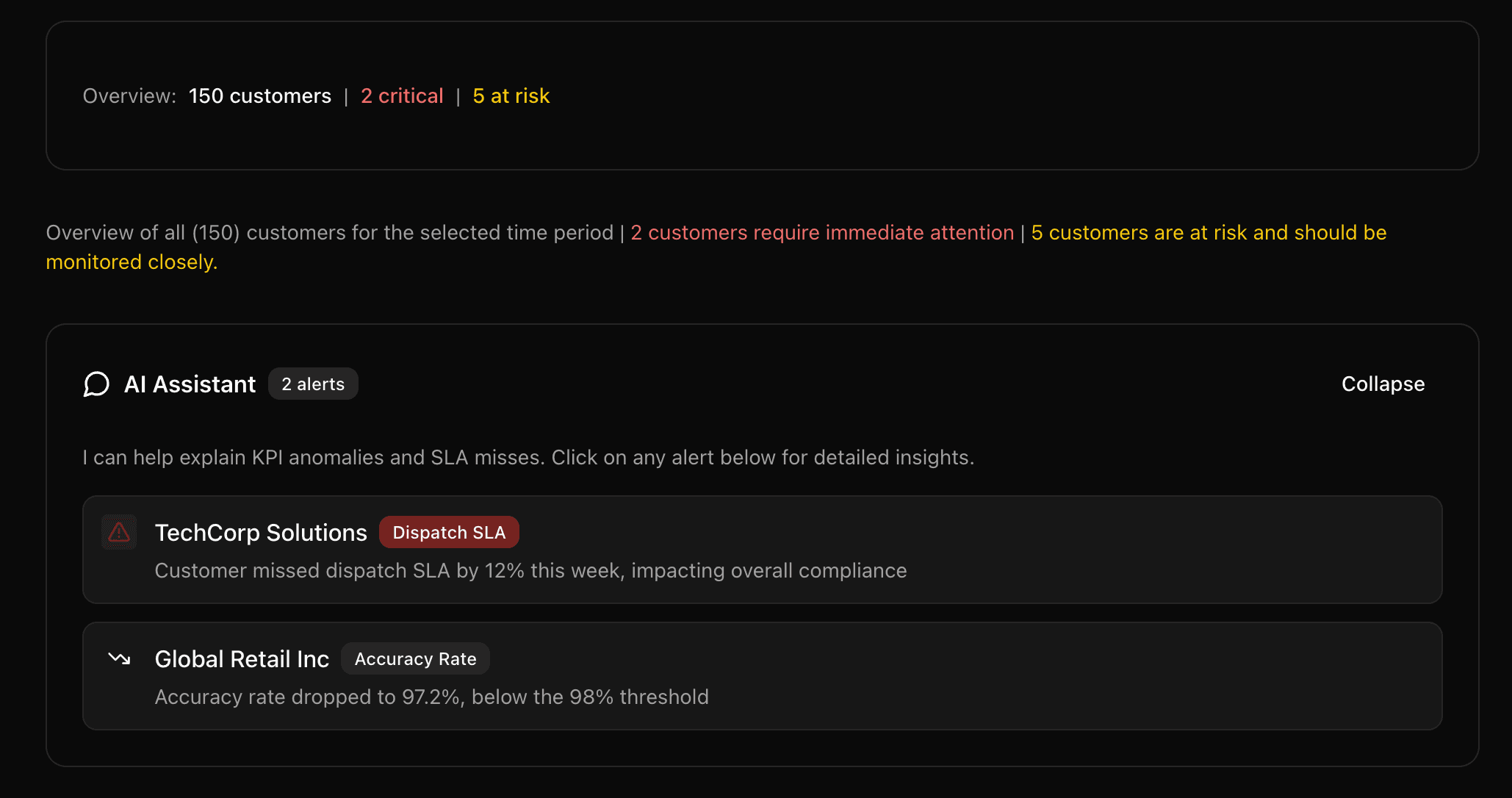
We explored the idea of an AI Assistant embedded within the dashboard to surface risk insights and highlight accounts that required attention.
Placement and visibility were critical. The assistant needed to feel integrated into operational workflow rather than a separate tool.
Screenshot 9: Using html.to.design - a Figma's plugin to paste the design created by V0 onto my Figma file
Reflection
Impact & Key Takeaways
Impact
Design Partner were satisfied with the designs
Key takeaways
• Define hierarchy before designing visuals
• Validate feasibility with engineering early
• Use AI as an exploration engine
This project strengthened my ability to translate backend ambiguity into structured decision systems.
Learnings
AI significantly accelerated my layout exploration and structural iteration. However, clarity still depended on thoughtful prompting, human curation, and product reasoning. The result was not just a dashboard interface, but a scalable framework for operational intelligence.